 7e28c1c2b3
* Implemented folder-based annotation synchronization and legacy book ID migration. - Added `syncLocalAnnotationsToFolder` and `importAnnotationBundle` to `RecentFilesRepository` to handle bundling ink, rich text, layouts, and text boxes into a single JSON sidecar file. - Introduced `saveAnnotationSidecar` and `getAnnotationSidecar` in `LocalSyncUtils` to manage hidden synchronization files in linked folders using SAF. - Updated `MainViewModel` to trigger annotation syncing on book close and added a migration utility for legacy book IDs. - Enhanced `FolderSyncWorker` to include a dedicated phase for importing newer annotation bundles from synchronized folders. - Fixed an ID mismatch edge case in `PdfViewerScreen` by initiating data migration when a legacy ID is detected. - Added `selectedBookId` to `ReaderScreenState` to better track the active document across the application. * fix(sync): resolve Syncthing file lock conflicts and annotation migration bug - Implement atomic saves (write-to-temp then rename) for annotation sidecars in `LocalSyncUtils` to prevent `.tmp` file locking and partial writes when using third-party sync tools like Syncthing. - Add robust conflict resolution for annotation sidecars (`resolveAndCleanAnnotationConflicts`) to automatically detect, keep the newest version, and clean up `.sync-conflict` files. - Fix a bug in `MainViewModel.checkAndMigrateLegacyBookId` where older legacy local files would blindly overwrite newly synced annotation files by adding a timestamp-based clobber check. |
||
|---|---|---|
| .github | ||
| app | ||
| docs | ||
| fastlane/metadata/android/en-US | ||
| gradle | ||
| spotless | ||
| .gitattributes | ||
| .gitignore | ||
| build.gradle.kts | ||
| CLA.md | ||
| CONTRIBUTING.md | ||
| gradle.properties | ||
| gradlew | ||
| gradlew.bat | ||
| LICENSE | ||
| README.md | ||
| settings.gradle.kts | ||
 Episteme Reader
A native Android document reader application built with Kotlin and Jetpack Compose.

Overview
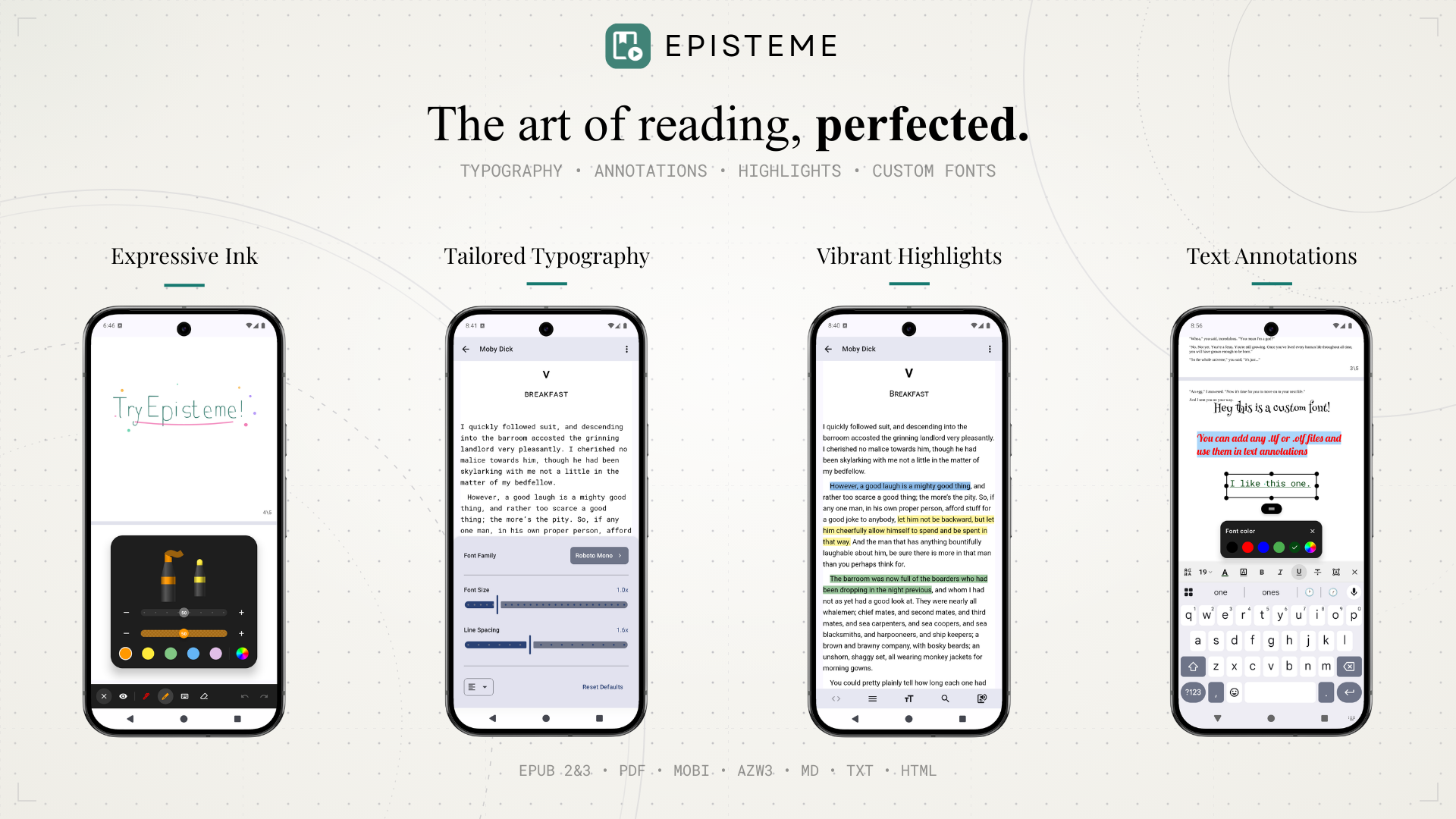
Episteme Reader is an offline-first application designed for reading various document formats. It leverages native Android technologies and C++ libraries to provide a performant reading experience with customization capabilities.
Note: This is the Open Source (OSS) edition of Episteme Reader. The version available on the Google Play Store is built from this core but includes additional proprietary features.
Features
Supported Formats
- Documents: PDF
- E-books: EPUB, MOBI, AZW3
- Text: MD, TXT, HTML
PDF Features
- Viewing Modes: Vertical Scroll and Paginated view.
- Ink Annotations: Draw directly on pages using Pen, Highlighter, and Eraser tools.
- Text Annotations: Add text notes anywhere on the page using system or custom fonts.
E-Book Features
- Parsing: Native parsing for MOBI/AZW3 via
libmobiand EPUB viaJsoup. - Customization: Adjust font size, line spacing, and margins.
- Custom Fonts: Support for importing user-provided font files (
.ttf,.otf).
General
- Text-to-Speech (TTS): Read documents aloud using the system TTS engine.
- File Management: Built-in library organization.
Architecture
- UI: 100% Jetpack Compose (Material3).
- Architecture: MVVM with Unidirectional Data Flow.
- Database: Room (SQLite) for metadata and annotations.
- PDF Engine:
pdfium-android(Native PDFium bindings). - EPUB Engine: Utilizes standard
WebViewfor vertical scrolling mode, and a custom rendering engine for paginated mode. - Mobi Engine: Custom JNI bindings to
libmobi.
Building from Source
-
Clone the repository:
git clone https://github.com/Aryan-Raj3112/episteme.git cd episteme -
Build: Open in Android Studio and run the
ossDebugvariant../gradlew assembleOssDebug
Open Source Libraries
This project is made possible by the Android open-source ecosystem:
- Core & UI: AndroidX, Jetpack Compose, Kotlinx Serialization
- Document Engines: PdfiumAndroidKt (PDF), libmobi (MOBI/AZW3), Google WOFF2 (Fonts)
- Parsers: Jsoup (HTML/EPUB), Flexmark (Markdown)
- Media & Image Loading: Coil, Media3 (ExoPlayer)
- Utilities: Room (Database), Timber (Logging)
License
This project is licensed under the GNU Affero General Public License v3.0 (AGPL-3.0). See the LICENSE file for details.