 843a77d0ef
* Replaced PDF-to-Markdown reflow with an enhanced PDF-to-HTML generator. Specific changes include: - Replaced `PdfToMarkdownGenerator` and `PdfReflowGenerator` with `PdfToHtmlGenerator`. - Added native bridge methods in `NativePdfiumBridge.kt` and `pdfium_bridge.cpp` to extract character bounding boxes, page objects, and image pixels. - Implemented vertical merging of text and images in `PdfToHtmlGenerator` to maintain document layout. - Added logic to detect and filter repeating headers and footers across PDF pages. - Updated `ReflowWorker` to generate `.html` files instead of `.md` files and updated `FileType` handling. - Simplified `SingleFileImporter` by removing dependencies on the legacy Markdown generator. * Updated PDF to HTML generation to include page breaks and split HTML files into individual chapters based on page markers. * Added junk character filtering and normalization to PDF text extraction * - Added `allRecentFiles` to `ReaderScreenState` to track all files, including reflowed versions. - Updated `recentFiles` in `MainViewModel` to filter out reflowed files (`_reflow`) from the main library view. - Implemented `deleteBookPermanently` in `MainViewModel` to handle book deletion and cache cleanup. - Added a "Delete Text View" option to the `EpubReader` controls for reflowed files. - Improved reflow file detection in `PdfViewerScreen` by checking against `allRecentFiles`. * Implemented a centralized data-saving mechanism in `PdfViewerScreen` using a debounced `saveAllData` function. This refactor consolidates the saving of annotations, text boxes, highlights, bookmarks, and scroll positions, adding lifecycle-aware triggers and a mutex to ensure data integrity during pauses or document navigation. * Optimized PDF selection and annotation performance by offloading heavy operations to background threads and improving UI responsiveness. - Moved PDF page/text opening, character range calculations, and text extraction to `Dispatchers.IO`. - Wrapped UI updates in `updateSelectionVisuals` and selection logic with `withContext(Dispatchers.Main)`. - Implemented a more efficient `Popup`-based magnifier to replace manual offsets and transformations. - Updated `PdfSelectionMenuPopup` properties to prevent focus and click-outside dismissal conflicts. |
||
|---|---|---|
| .github | ||
| app | ||
| docs | ||
| fastlane/metadata/android/en-US | ||
| gradle | ||
| spotless | ||
| .gitignore | ||
| build.gradle.kts | ||
| CLA.md | ||
| CONTRIBUTING.md | ||
| gradle.properties | ||
| gradlew | ||
| gradlew.bat | ||
| LICENSE | ||
| README.md | ||
| settings.gradle.kts | ||
 Episteme Reader
A native Android document reader application built with Kotlin and Jetpack Compose.


Overview
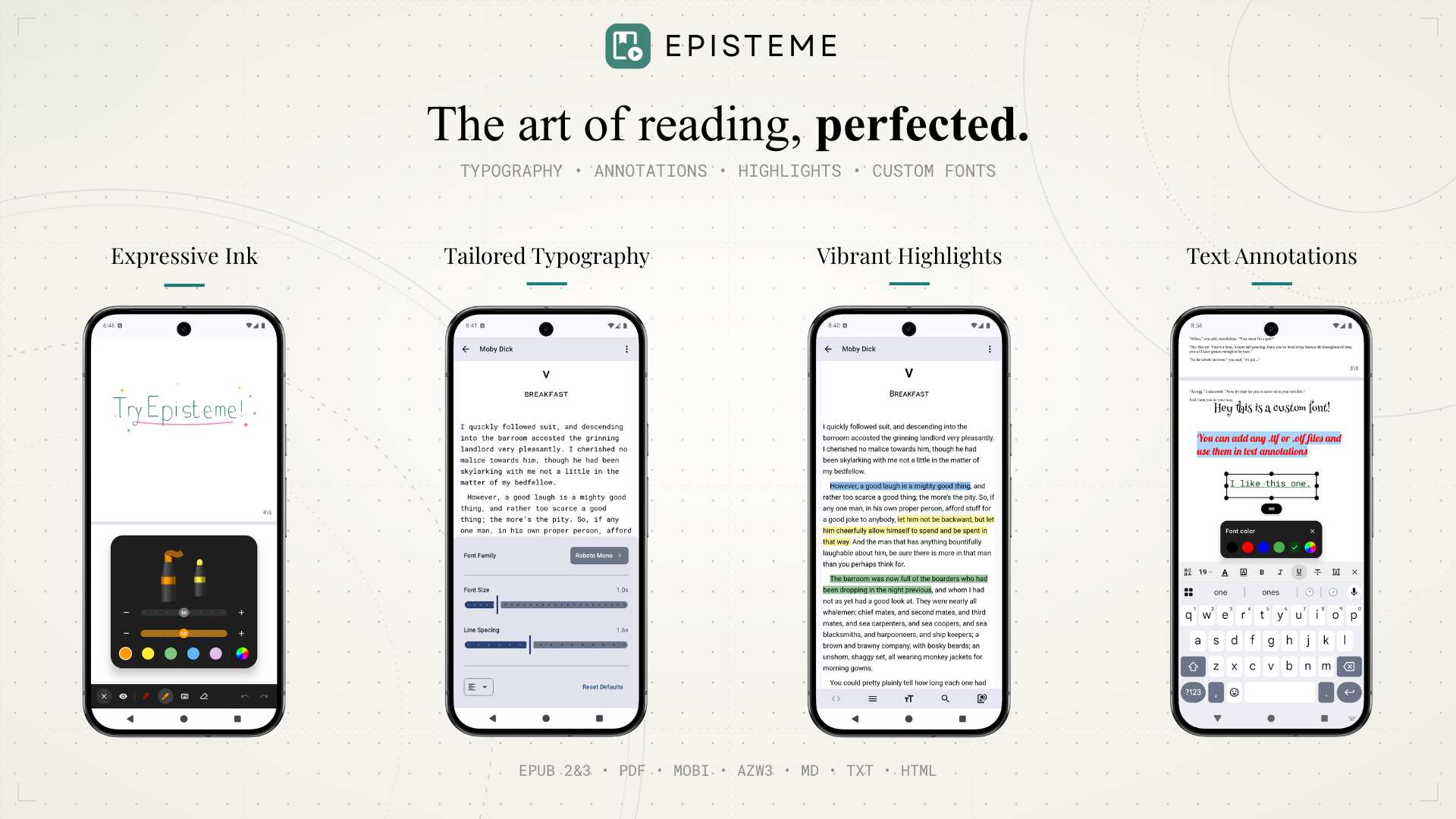
Episteme Reader is an offline-first application designed for reading various document formats. It leverages native Android technologies and C++ libraries to provide a performant reading experience with customization capabilities.
Note: This is the Open Source (OSS) edition of Episteme Reader. The version available on the Google Play Store is built from this core but includes additional proprietary features.
Features
Supported Formats
- Documents: PDF
- E-books: EPUB, MOBI, AZW3
- Text: MD, TXT, HTML
PDF Features
- Viewing Modes: Vertical Scroll and Paginated view.
- Ink Annotations: Draw directly on pages using Pen, Highlighter, and Eraser tools.
- Text Annotations: Add text notes anywhere on the page using system or custom fonts.
E-Book Features
- Parsing: Native parsing for MOBI/AZW3 via
libmobiand EPUB viaJsoup. - Customization: Adjust font size, line spacing, and margins.
- Custom Fonts: Support for importing user-provided font files (
.ttf,.otf).
General
- Text-to-Speech (TTS): Read documents aloud using the system TTS engine.
- File Management: Built-in library organization.
Architecture
- UI: 100% Jetpack Compose (Material3).
- Architecture: MVVM with Unidirectional Data Flow.
- Database: Room (SQLite) for metadata and annotations.
- PDF Engine:
pdfium-android(Native PDFium bindings). - EPUB Engine: Utilizes standard
WebViewfor vertical scrolling mode, and a custom rendering engine for paginated mode. - Mobi Engine: Custom JNI bindings to
libmobi.
Building from Source
-
Clone the repository:
git clone https://github.com/Aryan-Raj3112/episteme.git cd episteme -
Build: Open in Android Studio and run the
ossDebugvariant../gradlew assembleOssDebug
Open Source Libraries
This project is made possible by the Android open-source ecosystem:
- Core & UI: AndroidX, Jetpack Compose, Kotlinx Serialization
- Document Engines: PdfiumAndroidKt (PDF), libmobi (MOBI/AZW3), Google WOFF2 (Fonts)
- Parsers: Jsoup (HTML/EPUB), Flexmark (Markdown)
- Media & Image Loading: Coil, Media3 (ExoPlayer)
- Utilities: Room (Database), Timber (Logging)
License
This project is licensed under the GNU Affero General Public License v3.0 (AGPL-3.0). See the LICENSE file for details.
Support
If you find Episteme Reader useful and want to support its development, please consider sponsoring. Thank you!
